GameNight is out of beta. Version 1.0.0 went up on 21 September, and the build counter that used to sit in the footer went with it. First commit was 31 March, so it took a shade under six months of real game nights to earn a release number.
Three more releases followed it inside two days. Two of those are worth a post.
The timer you build yourself
The designable board is out of beta too. It is the Tournament Timer now, and the original full-screen clock is Tournament Timer Classic.
What makes the new one worth the switch is that you lay it out yourself. Cells for the clock, the blinds, the payout table, the chip counts, a welcome ticker along the bottom, a live video feed if the room wants half an eye on one. Every cell takes its share of the screen from the row and column weights, so nothing ever covers the clock or hangs off the edge. And a layout is the whole board, not the paint on it: what is up there, where it sits, what takes over during breaks, and what the phones get when somebody scans the QR code off the TV.
If you would rather not start from a blank board, there are six ready-made ones to import. Neon Nights, Dusty Trail Saloon, Zen Minimal, Emerald High Roller, Pixel Arcade, and Snowman Poker League at Griff's, which carries a phone screen of its own for whoever scans that code. Watch Party makes seven, built around the video cell, with the stream down one side and the clock up the other. Each file brings its own artwork and sounds along with it, so importing one is the entire setup, and they land in your library to hack about afterwards. Old links, bookmarks and second screens already casting the clock all still go to the right page.
FinalTable
This one has not come up here before. FinalTable is a poker server I have been building alongside GameNight, and it runs the kind of tournament you already run in a kitchen.
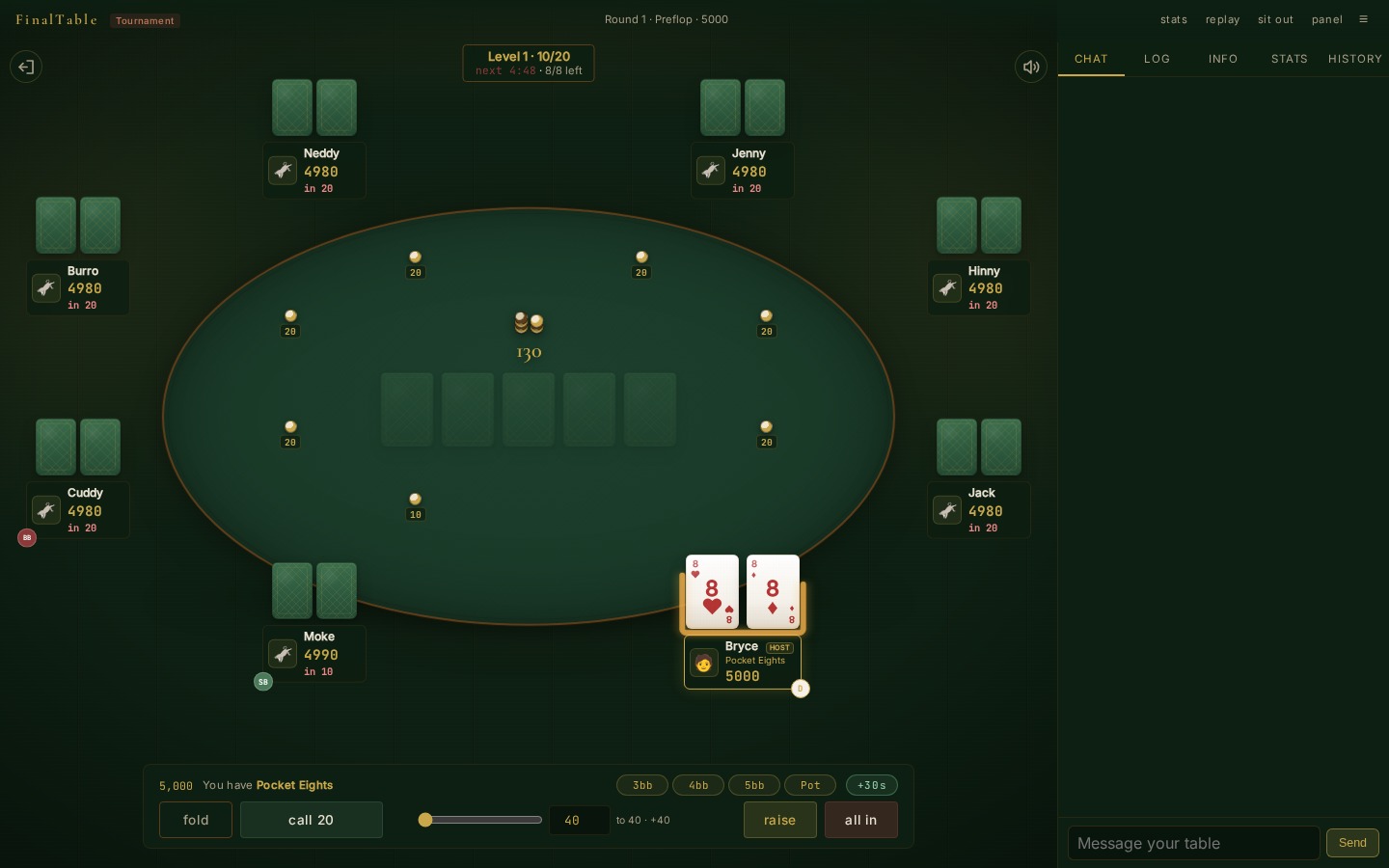
People register by code or by link. The game starts at a time you set, on a blind structure you picked or edited, antes and breaks included. Tables balance and break as players bust, and the field merges down to one final table. Late registration, re-entry and an add-on at the first break are all there if the host turns them on. Payouts get worked out for you, and the bubble is played hand for hand. The host can pause, step the level, move somebody to another seat, or take them out of the game.
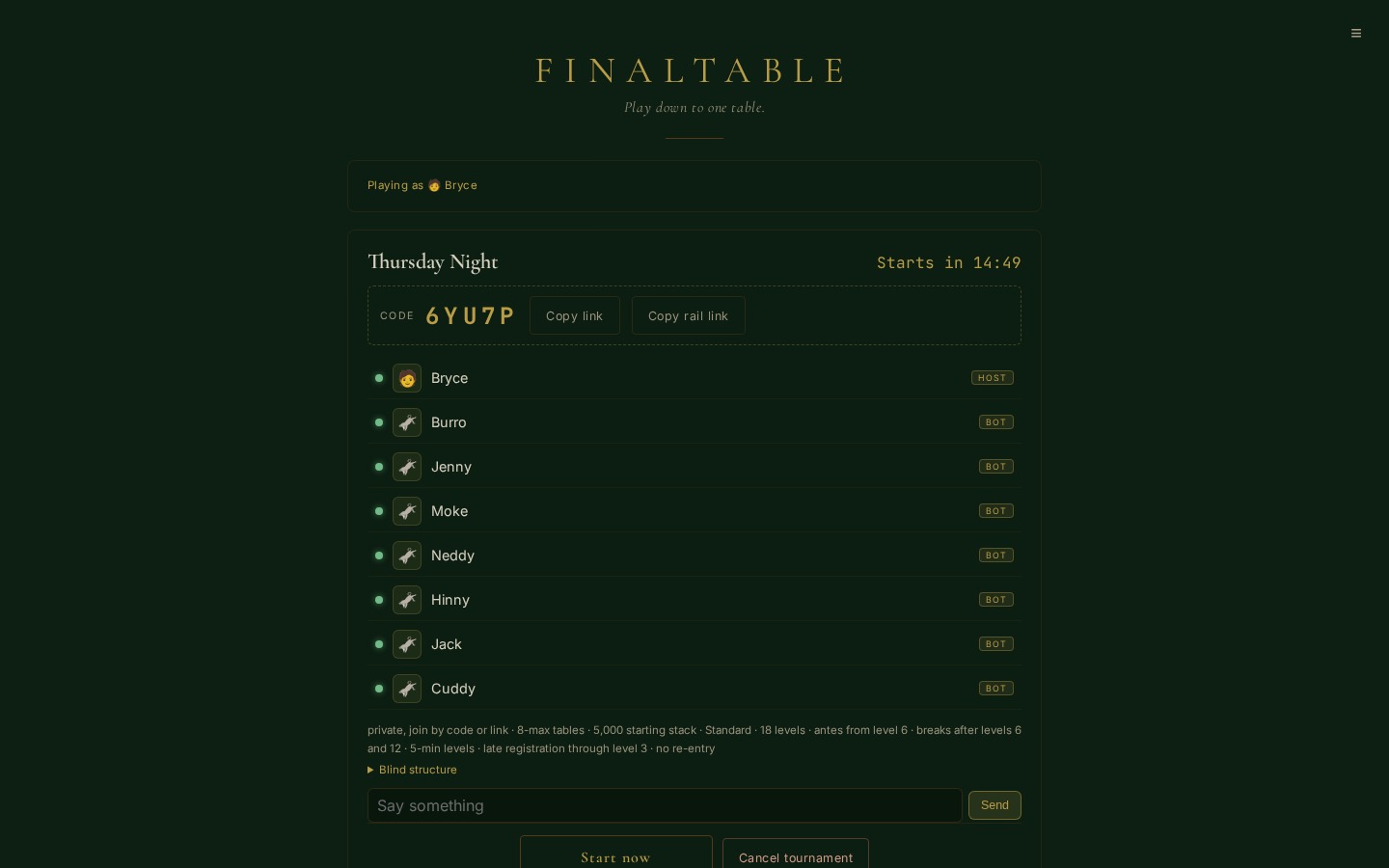
The parts that matter on a real night are duller than any of that. Lose your connection or reload the page and you come back to your seat with your stack. A seat that has gone quiet never gets played for you: it sits out, checks when checking is free, folds to a bet, and blinds down until you come back or bust. Restart the server in the middle of a tournament and the field comes back too, because it gets written down between hands. Anybody can watch from a rail link. And if you want to see it move before you invite a soul, the create form will fill the table with demo bots that call far too much.
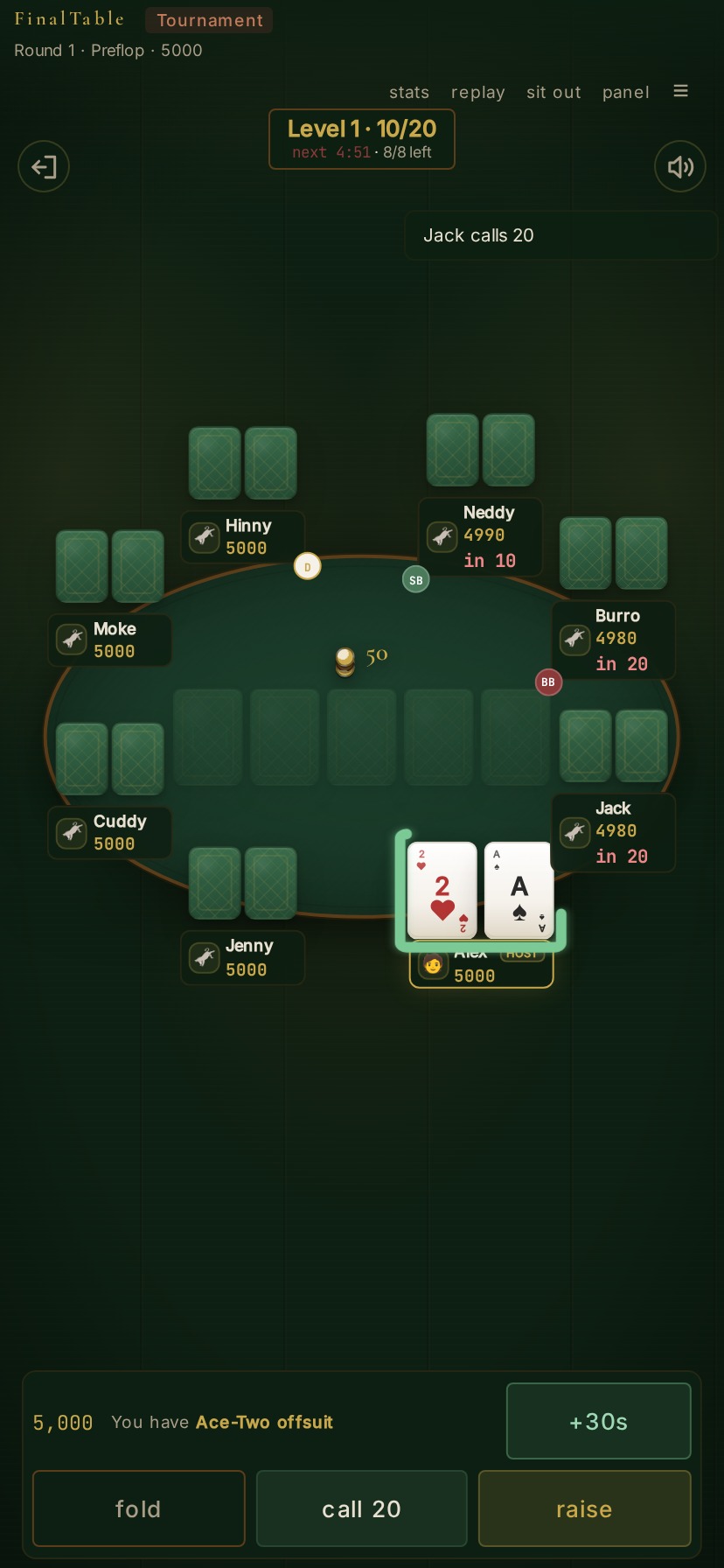
GameNight sets the table up, and gets the night back
The two are joined now. That is v1.2.0.
A poker tournament in the event editor has a Played choice: in person, or online at a connected app. Pick online and the event page grows a Played online at section. Before the table exists, you and your managers see what is going to be sent. The guest list (you host, every approved invitee with an account goes, and anybody without one is named as not sent), the blind schedule, chips, seats, buy-in and re-entry. Under it sits a Set up the table button.
One press makes the game on FinalTable with your roster and your blinds, then tells everyone on the guest list where to play. The join link arrives as an ordinary GameNight notification. Nobody has to make a second account. FinalTable's sign-in page is a Sign in with GameNight button, and you get seated under the name you already use.
After that, the section is the table's status, refreshed every fifteen seconds while the tab is open. Registering with its start time, then the level, the blinds, the time to the next level and how many players are left. Paused, if somebody paused it. An emptied room, if everyone wandered off. Play at FinalTable shows for anyone with a seat and Watch for anyone who can see the event, with copy buttons next to both. Managers also get Start now, Pause, Resume, Take out of play beside each seated player, and Cancel the game. When FinalTable refuses one of those, you get its refusal in its own words instead of a shrug.
What comes back is the half I care about. FinalTable reports the game while it is happening: the clock starting, every level and break, every pause, every bust-out and re-entry, and the finish. GameNight writes all of it the way you would have written it by hand on Manage Game. A bust-out becomes a finishing position, provisional until late registration and re-entry close. A re-entry clears that position and counts as a rebuy. The finish records every place, marks who actually played as bought in, sets the session to finished, and runs the same hook the Finish button runs. So payouts, points, bounties and entry tickets come out of this event's payout structure, and the league table picks the night up like any other. FinalTable's own prize figures stay on the status line, where they cannot argue with yours.
Delete an event with a live table and the game gets called off first. Remove somebody from a league, or delete their account, and they are signed out of every FinalTable that holds a key. After a finish or a cancel, you can set the table up again.
Connecting the two takes about a minute. FinalTable's administrator makes a game key on its Admin page, which is shown once. A GameNight admin pastes it into that app's Game key field under Site Settings → Connected Apps, where it is stored encrypted and shown afterwards only as Set or Not set. There is a Test button beside it that makes two requests which create nothing, and it reports FinalTable's own answer when the key is wrong.
What is next
On the FinalTable side, the big one is games other than Hold'em. The engine deals two cards and makes the best five out of seven, and that assumption runs all the way down into the hand evaluator. Omaha changes the deal and adds the must-use-two rule. Stud changes the street structure entirely. Draw needs a discard phase that has no equivalent anywhere in the code. I would rather do that once, properly, on the shape of the engine than bolt four special cases onto a Hold'em loop, so it is going to take a while.
On the GameNight side, WhatsApp comes out of alpha next, with two-way RSVP to match what SMS already does, and a preferred-channel setting so people hear from you where they actually read things. After that the work is about handing the site to strangers who are not me: settings driven from the environment instead of assuming one install, registration and access controls, an onboarding wizard for a fresh site, and two-factor for admins. Then push notifications through the PWA, and calendar integrations, which is the request that comes up most.
Both are open source: GameNight and FinalTable. The running site is gamenight.poker. If you get a table going on a real night, say how it went in the comments.
Sign in to leave a comment.